Skip to content
View in the app

A better way to browse. Learn more.

GamingCR

A full-screen app on your home screen with push notifications, badges and more.

To install this app on iOS and iPadOS
  1. Tap the Share icon in Safari
  2. Scroll the menu and tap Add to Home Screen.
  3. Tap Add in the top-right corner.
To install this app on Android
  1. Tap the 3-dot menu (⋮) in the top-right corner of the browser.
  2. Tap Add to Home screen or Install app.
  3. Confirm by tapping Install.

norxander

Miembros
  • Joined

  • Last visited

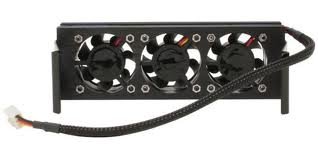
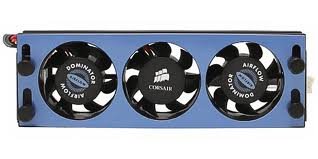
  1. Todo bien... Estoy vendiendo un ventilador de memoria Ram Corsair de tres fans... Esta nuevo.. es que me compre un CPU cooler que me ayuda con el enfriamiento de la memoria tambien! El precio... en C 20 mil.. Por si a alguien le interesa estoy para servirle! Gracias!!!
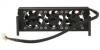
  2. A si.. Sorry.. Comprado de USA y Shipping a CR me salio en C32 mil... YO LO VENDO EN C30 MIL!! CUALQUIERO COSA ME AVISAN! PURA VIDA!
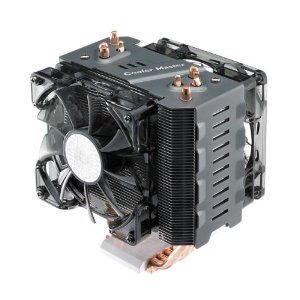
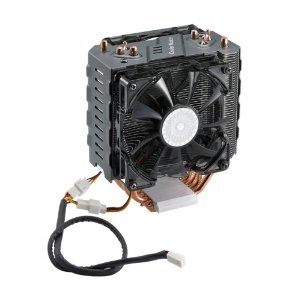
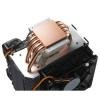
  3. VENDO CPU COOLER MASTER, HYPER N520, ESTA NUEVA LA COMPRE PERO NO LA USE... TENGO OTRA NUEVA! EL VENTILADOR PARA EL CPU ES COMPATIBLE CON LOS ULTIMOS SOCKETS DE INTEL Y AMD...! CUALQUIER CONSULTA CON GUSTO!
Account

Navigation

Search

Search

Configure browser push notifications

Chrome (Android)
  1. Tap the lock icon next to the address bar.
  2. Tap Permissions → Notifications.
  3. Adjust your preference.
Chrome (Desktop)
  1. Click the padlock icon in the address bar.
  2. Select Site settings.
  3. Find Notifications and adjust your preference.