Skip to content
View in the app

A better way to browse. Learn more.

GamingCR

A full-screen app on your home screen with push notifications, badges and more.

To install this app on iOS and iPadOS
  1. Tap the Share icon in Safari
  2. Scroll the menu and tap Add to Home Screen.
  3. Tap Add in the top-right corner.
To install this app on Android
  1. Tap the 3-dot menu (⋮) in the top-right corner of the browser.
  2. Tap Add to Home screen or Install app.
  3. Confirm by tapping Install.

Leaderboard

Popular Content

Showing content with the highest reputation since 10/22/2009 in Images

  1. maquinon 1

    isbqck reacted to Mach0n for a gallery image

    1 point
  2. Bob

    BalcroN reacted to JOKER for a gallery image

    1 point
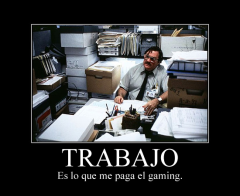
  3. Rpg motivational work.fw

    Stan reacted to Sky for a gallery image

    1 point
  4. 1er Barcraft Costa Rica

    hB-BicHito reacted to Sky for a gallery image

    1 point
  5. da Admin

    b52¦Morales reacted to CraToS for a gallery image

    1 point
  6. 1er Barcraft Costa Rica

    hB-BicHito reacted to Areku for a gallery image

    1 point
  7. 1er Barcraft Costa Rica

    b52¦Morales reacted to Sky for a gallery image

    1 point
  8. Exito de Actividad!

    Sky reacted to Areku for a gallery image

    1 point
  9. 1er Barcraft Costa Rica

    KenCalDi reacted to Areku for a gallery image

    1 point
  10. Barcraft panorámica

    Uden reacted to CraToS for a gallery image

    1 point
  11. Winman

    JeanLucMG reacted to WINMAN for a gallery image

    1 point
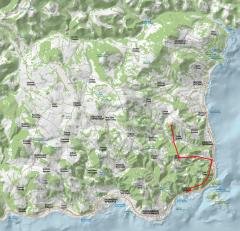
  12. dayzday0

    JeanLucMG reacted to Sky for a gallery image

    1 point
  13. DSC08736

    Comander reacted to xG.SGT for a gallery image

    1 point
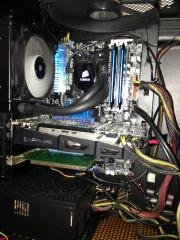
  14. PC GERAR

    manued reacted to GERAR for a gallery image

    1 point

Account

Navigation

Search

Search

Configure browser push notifications

Chrome (Android)
  1. Tap the lock icon next to the address bar.
  2. Tap Permissions → Notifications.
  3. Adjust your preference.
Chrome (Desktop)
  1. Click the padlock icon in the address bar.
  2. Select Site settings.
  3. Find Notifications and adjust your preference.