
Skip to content
View in the app

A better way to browse. Learn more.

GamingCR

A full-screen app on your home screen with push notifications, badges and more.

To install this app on iOS and iPadOS
  1. Tap the Share icon in Safari
  2. Scroll the menu and tap Add to Home Screen.
  3. Tap Add in the top-right corner.
To install this app on Android
  1. Tap the 3-dot menu (⋮) in the top-right corner of the browser.
  2. Tap Add to Home screen or Install app.
  3. Confirm by tapping Install.

VJCR :: 5to Aniversario

  • scorpion_vjcr.jpg

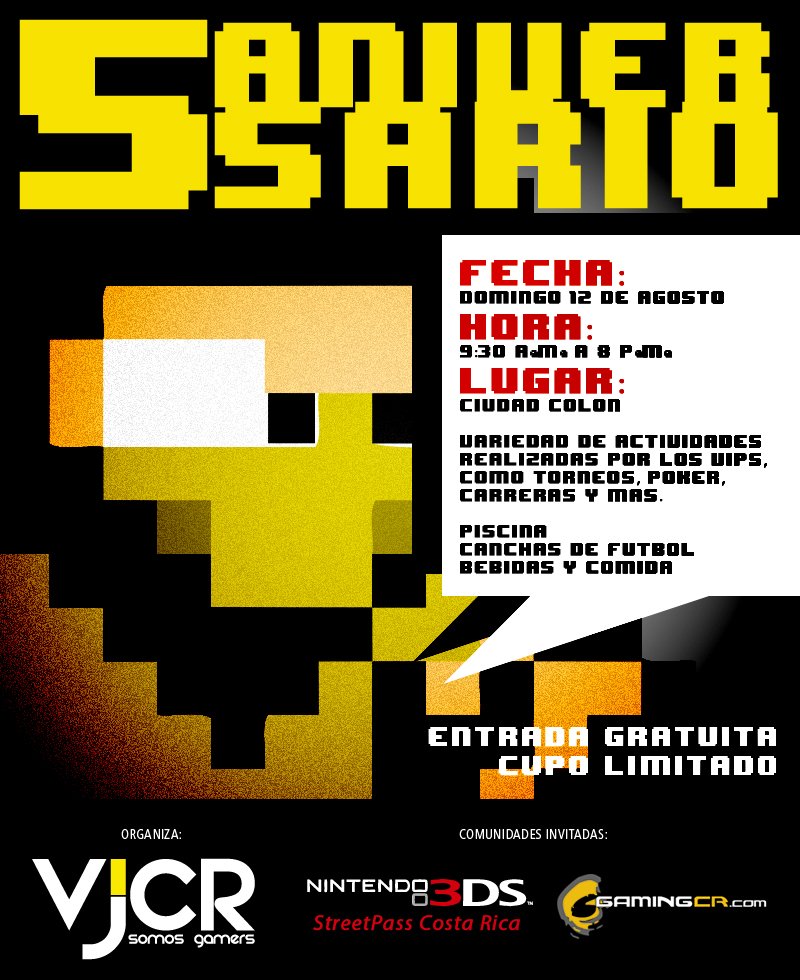
    Como les habíamos anunciado semanas atrás, este fin de semana es la celebración del 5to aniversario de nuestros buenos amigos de VideoJuegos.cr¿Cinco años ya? Increíble como pasa del tiempo.

  • 08/10/2012

scorpion_vjcr.jpg

Como les habíamos anunciado semanas atrás, este fin de semana es la celebración del 5to aniversario de nuestros buenos amigos de VideoJuegos.cr¿Cinco años ya? Increíble como pasa del tiempo.

VJCR es una gran comunidad de gamers y estamos seguros que todos los que asistan la pasarán super bien. Habrán consolas, piscina, comidas, es solo llegarse, hablar de lo que nos gusta, y sobre todo ¡disfrutar!

Todos los detalles aquí.

User Feedback

Recommended Comments

There are no comments to display.

Join the conversation

You can post now and register later. If you have an account, sign in now to post with your account.

Guest
Add a comment...

Account

Navigation

Search

Search

Configure browser push notifications

Chrome (Android)
  1. Tap the lock icon next to the address bar.
  2. Tap Permissions → Notifications.
  3. Adjust your preference.
Chrome (Desktop)
  1. Click the padlock icon in the address bar.
  2. Select Site settings.
  3. Find Notifications and adjust your preference.