
Skip to content
View in the app

A better way to browse. Learn more.

GamingCR

A full-screen app on your home screen with push notifications, badges and more.

To install this app on iOS and iPadOS
  1. Tap the Share icon in Safari
  2. Scroll the menu and tap Add to Home Screen.
  3. Tap Add in the top-right corner.
To install this app on Android
  1. Tap the 3-dot menu (⋮) in the top-right corner of the browser.
  2. Tap Add to Home screen or Install app.
  3. Confirm by tapping Install.

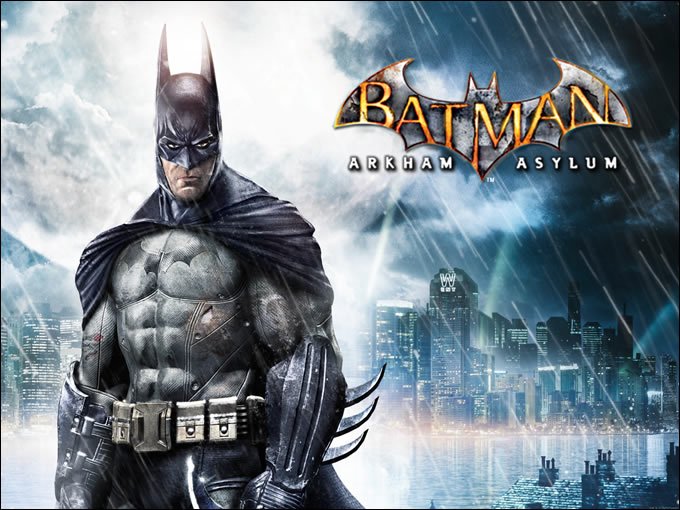
STEAM :: Batman: Arkham Asylum GOTY Edition 75% off

  • barman-arkham-assylum.jpg

    Si no ha probado este excelente juego, esta es su oportunidad. 75% de descuento ($7.50) por la versión re-lanzada de Batman: Arkham Asylum, llamada GOTY Edition. Incluye 4 mapas de desafío adicionales, incluyendo a los villanos The Joker, HARLEY QUINN, POISON IVY y KILLER CROC.

  • 07/26/2011

barman-arkham-assylum.jpg

Si no ha probado este excelente juego, esta es su oportunidad. 75% de descuento ($7.50) por la versión re-lanzada de Batman: Arkham Asylum, llamada GOTY Edition. Incluye 4 mapas de desafío adicionales, incluyendo a los villanos The Joker, HARLEY QUINN, POISON IVY y KILLER CROC.

La oferta solo dura un día.

Fuente.gifFuente: STEAM

User Feedback

Recommended Comments

xyGvot

Staff

Vampire, The Masquerade - Bloodlines está en $5 hasta el Lunes, diría (en una comparación de naranjas y manzanas) que es mejor que Batman AA.

La última vez que estuvo en oferta fue en 2008, así que aprovechen agarrar un clasicazo a un excelente precio.

Instálense Wesp's Unofficial Patch, y voilá.

PD: Sky, tuve que agregar los links a lo macho con tags , cada vez que ponía la dirección usando la herramienta del foro la pantalla quedaba en gris y no podía seguir editando el post.

Firefox 5.0, Flash 10.3 r181

El problema es el shoutbox. Por el momento lo deshabilité para que el editor funcione, mientras lo reviso con más detalle.

Join the conversation

You can post now and register later. If you have an account, sign in now to post with your account.

Guest
Add a comment...

Account

Navigation

Search

Search

Configure browser push notifications

Chrome (Android)
  1. Tap the lock icon next to the address bar.
  2. Tap Permissions → Notifications.
  3. Adjust your preference.
Chrome (Desktop)
  1. Click the padlock icon in the address bar.
  2. Select Site settings.
  3. Find Notifications and adjust your preference.