
Skip to content
View in the app

A better way to browse. Learn more.

GamingCR

A full-screen app on your home screen with push notifications, badges and more.

To install this app on iOS and iPadOS
  1. Tap the Share icon in Safari
  2. Scroll the menu and tap Add to Home Screen.
  3. Tap Add in the top-right corner.
To install this app on Android
  1. Tap the 3-dot menu (⋮) in the top-right corner of the browser.
  2. Tap Add to Home screen or Install app.
  3. Confirm by tapping Install.

Generador de Nombres para Android

  • android_name_generator.jpg

    Si algo ha caracterizado a los fabricantes de dispositivos móviles Android a la hora de vender sus productos tiene que ser los peculiares nombres que seleccionan para sus teléfonos; muchos son totalmente extraños, largos y muy difíciles de recordar.

  • 12/07/2011

android_name_generator.jpg

Si algo ha caracterizado a los fabricantes de dispositivos móviles Android a la hora de vender sus productos tiene que ser los peculiares nombres que seleccionan para sus teléfonos; muchos son totalmente extraños, largos y muy difíciles de recordar.

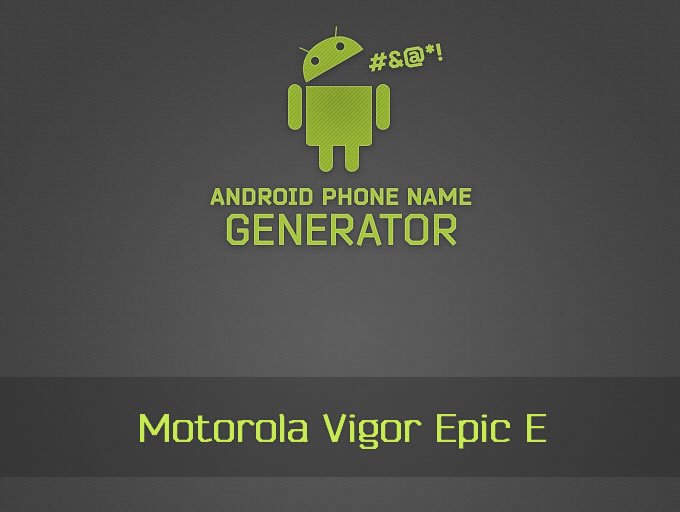
Y es así como nace este generador de nombres de teléfono el cual toma algunas de las ridículas convenciones para crear resultados bastante graciosos como este Motorola Vigor Epic E.

Ver.gifVer: Android phone name generator

User Feedback

Recommended Comments

xG.SGT

Staff

lol : Samsung Nitro Plus G2 One G1

Guest

Guest

Guests

Lo vi hace un par de días y está gracioso, pero es esto una noticia de front-page?

Join the conversation

You can post now and register later. If you have an account, sign in now to post with your account.

Guest
Add a comment...

Account

Navigation

Search

Search

Configure browser push notifications

Chrome (Android)
  1. Tap the lock icon next to the address bar.
  2. Tap Permissions → Notifications.
  3. Adjust your preference.
Chrome (Desktop)
  1. Click the padlock icon in the address bar.
  2. Select Site settings.
  3. Find Notifications and adjust your preference.