
Skip to content
View in the app

A better way to browse. Learn more.

GamingCR

A full-screen app on your home screen with push notifications, badges and more.

To install this app on iOS and iPadOS
  1. Tap the Share icon in Safari
  2. Scroll the menu and tap Add to Home Screen.
  3. Tap Add in the top-right corner.
To install this app on Android
  1. Tap the 3-dot menu (⋮) in the top-right corner of the browser.
  2. Tap Add to Home screen or Install app.
  3. Confirm by tapping Install.

Lanzamiento de Juegos: Semana Ago/01 - Ago/07

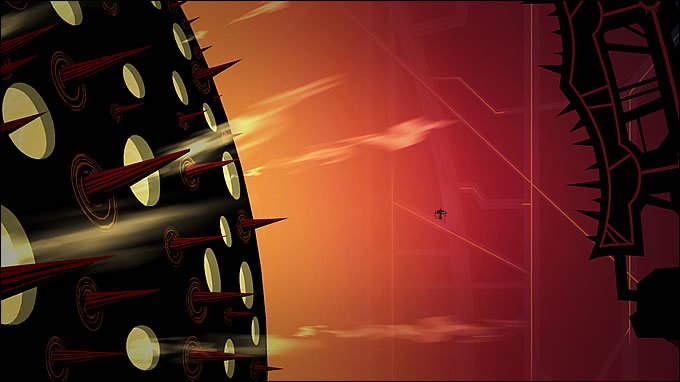
  • Insanely Twisted Shadow Planet.jpg

    Lista de lanzamientos para esta semana.

  • 07/30/2011

Insanely Twisted Shadow Planet.jpg

Lista de lanzamientos para esta semana.

PC

  • Limbo (descarga)
  • Pirates of Black Cove (descarga - $20)
  • Brink: Agents of Change (DLC - inicialmente gratis)

Xbox 360

  • Insanely Twisted Shadow Planet (XBLA - $15)
  • Brink: Agents of Change (DLC - inicialmente gratis)

PlayStation 3

  • Bleach: Soul Resurreccion
  • Phineas and Ferb: Across the 2nd Dimension
  • Brink: Agents of Change (DLC -inicialmente gratis)
  • Insanely Twisted Shadow Planet and Bleach: Soul Resurreccion

Wii

  • Monochrome Racing (WiiWare)
  • Phineas and Ferb: Across the 2nd Dimension

Nintendo 3DS

  • B Team - Episode 2: Ice & Venom (eShop - $7.99)
  • Go Fetch! 2 (eShop - $4.99)
  • Play & Learn Spanish (eShop - $7.99)

DS

  • B Team - Episode 2: Ice & Venom (DSiWare - $8.00)
  • Go Fetch! 2 (DSiWare - $5.00)
  • Play & Learn Spanish (DSiWare - $8.00
  • Phineas and Ferb: Across the 2nd Dimension
  • Sesame Street: Ready, Set, Grover!

User Feedback

Recommended Comments

There are no comments to display.

Join the conversation

You can post now and register later. If you have an account, sign in now to post with your account.

Guest
Add a comment...

Account

Navigation

Search

Search

Configure browser push notifications

Chrome (Android)
  1. Tap the lock icon next to the address bar.
  2. Tap Permissions → Notifications.
  3. Adjust your preference.
Chrome (Desktop)
  1. Click the padlock icon in the address bar.
  2. Select Site settings.
  3. Find Notifications and adjust your preference.