
Skip to content
View in the app

A better way to browse. Learn more.

GamingCR

A full-screen app on your home screen with push notifications, badges and more.

To install this app on iOS and iPadOS
  1. Tap the Share icon in Safari
  2. Scroll the menu and tap Add to Home Screen.
  3. Tap Add in the top-right corner.
To install this app on Android
  1. Tap the 3-dot menu (⋮) in the top-right corner of the browser.
  2. Tap Add to Home screen or Install app.
  3. Confirm by tapping Install.

Mario Tennis 3DS anunciado [TGS 2011]

  • mario_tennis.jpg

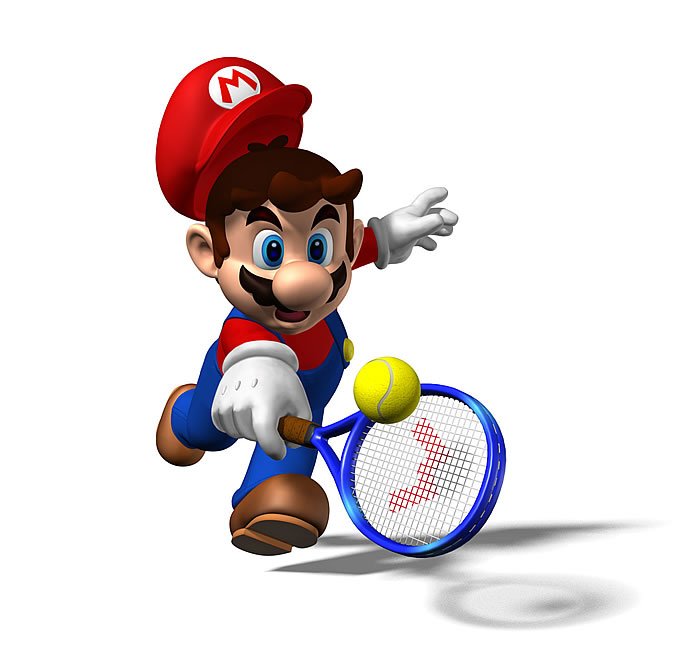
    Y siguen las sorpresas en la conferencia de Nintendoen el TGS 2011, y Nintendo ha comenzado a dar a conocer una noticia que debería, espero, ayudar a las ventas de su consola estrella. Mario Tennis 3DS, llega en un formato visual muy similar al que ha mostrado en entregas anteriores, lo cual es bueno.

  • 09/13/2011

mario_tennis.jpg

Y siguen las sorpresas en la conferencia de Nintendoen el TGS 2011, y Nintendo ha comenzado a dar a conocer una noticia que debería, espero, ayudar a las ventas de su consola estrella. Mario Tennis 3DS, llega en un formato visual muy similar al que ha mostrado en entregas anteriores, lo cual es bueno.

Según Satoru Iwata de Nintendo, el juego hará uso del sensor de movimiento giroscópico del 3DS.

User Feedback

Recommended Comments

Legolas

Miembros

mmm No fue una Pre-TGS conference mas bien?

De hecho la TGS aun no inicia .. Esta fue una conferencia para revelar unos nuevos "game releases" sobre el 3DS y su upgrade con el extra analogo que mas parece una protesis q otra cosa..

De hecho en mi opinion luego de estas noticias me esperare al 3DS Lite xq ahora es todo horrible con su protesis

Metallan

Miembros

Qué bien Mario Tenis!

Demasiado bueno el de N64, ojalá que este sea igual de bueno, o hasta mejor!

Join the conversation

You can post now and register later. If you have an account, sign in now to post with your account.

Guest
Add a comment...

Account

Navigation

Search

Search

Configure browser push notifications

Chrome (Android)
  1. Tap the lock icon next to the address bar.
  2. Tap Permissions → Notifications.
  3. Adjust your preference.
Chrome (Desktop)
  1. Click the padlock icon in the address bar.
  2. Select Site settings.
  3. Find Notifications and adjust your preference.