
Skip to content
View in the app

A better way to browse. Learn more.

GamingCR

A full-screen app on your home screen with push notifications, badges and more.

To install this app on iOS and iPadOS
  1. Tap the Share icon in Safari
  2. Scroll the menu and tap Add to Home Screen.
  3. Tap Add in the top-right corner.
To install this app on Android
  1. Tap the 3-dot menu (⋮) in the top-right corner of the browser.
  2. Tap Add to Home screen or Install app.
  3. Confirm by tapping Install.

VLC Media Player 1.1.0

1 Screenshot

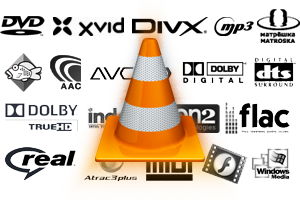
VLC Media Player soporta los siguientes formatos:

  • 3GP[2]
  • ASF
  • AVI
  • FLV
  • MKV
  • QuickTime
  • MP4
  • Ogg
  • OGM
  • WAV
  • MPEG-2 (ES,PS,TS,PVA,MP3)
  • AIFF
  • Raw audio
  • Raw DV
  • FLAC
  • WebM

Cambios recientes en VLC Media Player:

  • Soporte para vídeos en HD, con decodificación por GPU
  • Mejor soporte para extensiones
  • Soporta WebM
  • Mejoras en la reproducción de audio
  • Más rápido y con mejor rendimiento

Download.gifDownload: Otras versiones

Account

Navigation

Search

Search

Configure browser push notifications

Chrome (Android)
  1. Tap the lock icon next to the address bar.
  2. Tap Permissions → Notifications.
  3. Adjust your preference.
Chrome (Desktop)
  1. Click the padlock icon in the address bar.
  2. Select Site settings.
  3. Find Notifications and adjust your preference.