

Firefox deja el equipo abierto a intrusos

By Guest
· 384 views
La nueva versión (y anteriores) del famoso navegador gratuito Firefox, es vulnerable a la ejecución de código, programas, etc. sin permiso del usuario.Asociación de Internautas - La nueva vulnerabilidad afecta todas la versiones de Firefox y aun no hay parche para solucionar el problema, aunque se prevé que sea publicada en los próximos días.Una solución temporal es deshabilitar la opción de JavaScript:Menú de Herramientas -> Preferencias... ->Características Web:desmarcar la casilla "Activar JavaScript"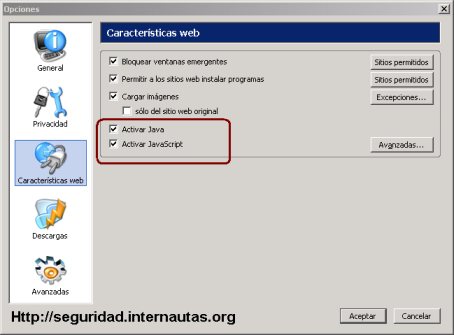 Ejemplo del exploit;Mozilla Firefox 1.0.3 Remote Arbitrary Code Execution Exploithttp://www.frsirt.com/exploits/20050507.firefox0day.phphttp://seguridad.internautas.org / www.seguridadenlared.orgAsociación de Internautas. www.internautas.orgTomado de http://www.noticiasdot.com/publicaciones/2...s_090505-16.htm
Recommended Comments